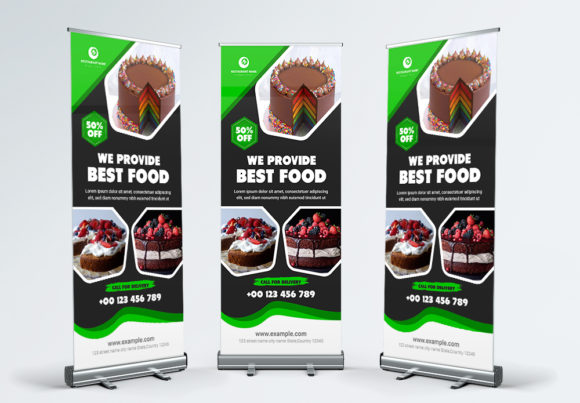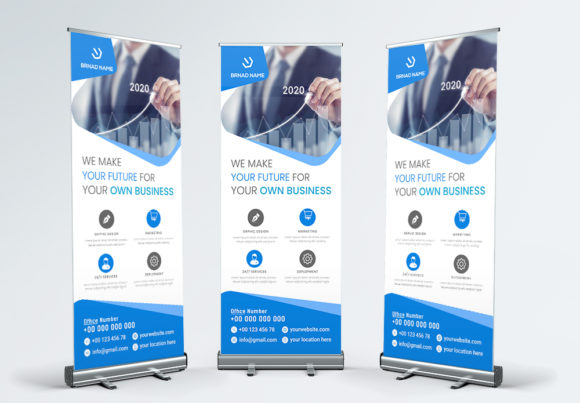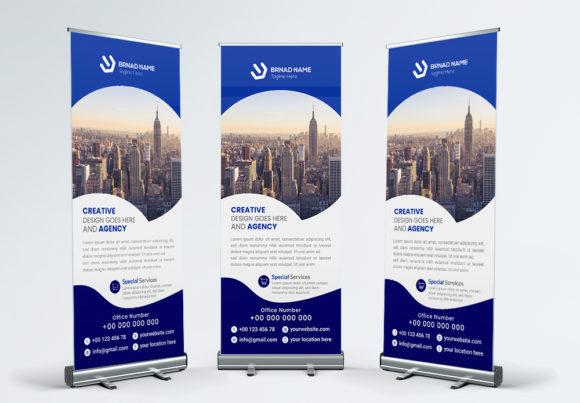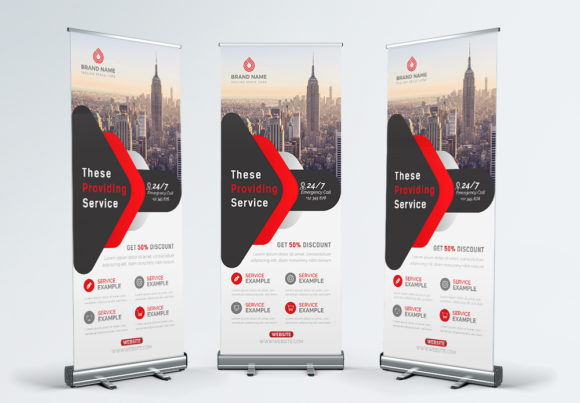
Maximize Your Trade Show Presence with a Roll Up Banner Template
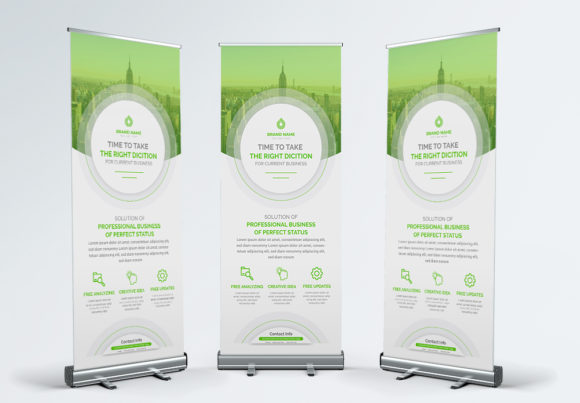
When you are preparing for a conference, a local market, or a corporate event, the visual impact of your booth is the first thing potential clients notice. You need a solution that is not only portable but also commands attention from across the room. This is where a high-quality Roll Up Banner becomes an essential piece of your marketing arsenal. We have designed a professional, fresh, and clean template specifically to help you promote your business effectively. It is not just a static image; it is a versatile tool created to bridge the gap between digital design and physical advertising. By using industry-standard design techniques, we have ensured that customizing this template to fit your unique business needs is a straightforward and enjoyable process.
Why Professional Display Design Matters
In the world of physical marketing, your visual assets speak volumes about your brand's credibility. A poorly designed or low-resolution banner can immediately turn away potential leads. Our template addresses this by prioritizing print ready specifications and high-resolution output. We understand that brand identity is built on consistency. Whether you are a small business owner launching a new product or a graphic designer managing assets for a client, having a reliable roll up banner template saves time and guarantees a polished look. The design is structured to be visually appealing without being cluttered, allowing your core message to shine through. It is about creating a focal point that draws people in, inviting them to learn more about what you offer.
Technical Specifications for Flawless Printing
One of the biggest challenges in transitioning from screen to print is maintaining quality. We have eliminated the guesswork by providing a template that meets strict industry standards. This roll up banner comes in a generous 30x70 inch size, providing ample space for your messaging, imagery, and calls to action. To ensure the final product looks exactly as you designed it, the file features CMYK color mode and a 300dpi resolution. These are non-negotiable requirements for professional printing.
Furthermore, we have included a 0.25” bleed on all sides. If you are new to design, a bleed is simply a safety margin that ensures no unprinted edges appear if the paper shifts slightly during the trimming process. This attention to detail ensures a seamless, edge-to-edge finish. The file is delivered in Adobe Illustrator AI File Format, which is the gold standard for vector-based design. Unlike raster images that pixelate when enlarged, vector files can be scaled infinitely without losing clarity, making them perfect for large format printing.
Simplifying the Customization Process
We believe that powerful design tools should be accessible to everyone, not just seasoned professionals with years of experience. That is why we focused on making this template fully editable and layered. When you open the file, you will find that every element—text, images, shapes, and background colors—is organized on its own layer. This structure gives you granular control over the design.
Changing the content is incredibly intuitive. As noted in the included help file, you simply press "T" to activate the text tool, click on the desired area, and type your message. You can easily change texts, content, objects, and color palette to match your specific branding guidelines. This flexibility is vital for creating marketing assets that feel authentic to your business. You are not locked into a rigid design; you are given a canvas to express your brand's personality.
Typography and Font Accessibility
Typography is a critical component of visual communication. To ensure you can maintain the intended aesthetic without purchasing expensive licenses, this template utilizes Google Fonts. These are free, high-quality fonts that are widely recognized for their readability and modern style. Before finalizing your design, you will need to download and install the specific fonts used in the template onto your system. This ensures that the text renders correctly when you open the AI file. Using free font resources allows you to allocate your budget to other areas of your business while still achieving a premium look.
Practical Applications for Your Business
While the primary function of this template is to create a physical roll up banner, the design principles and assets contained within can be repurposed for a variety of other needs. A cohesive brand identity requires consistent visuals across all platforms. Here is how you can leverage this template beyond the trade show floor:
- Social Media Graphics: Use the layout and color scheme to create vertical graphics for Instagram Stories or Pinterest pins.
- Website Headers: Adapt the hero section of the banner for your website’s homepage to create a unified look between your physical and digital presence.
- Print Materials: The clean layout can be adapted for brochures, flyers, or posters, ensuring your print materials look like they belong to the same family.
- Digital Products: If you sell digital products, use the design elements to create mockups or promotional graphics that look professional.
- Editorial Layouts: For bloggers or content creators, the typography choices can inspire your blog headers or editorial design elements.
By using this template as a starting point, you ensure that your logo design and messaging are presented consistently, whether on a 30-inch wide banner or a mobile screen. This consistency builds trust and helps with brand recognition over time.
Tips for Effective Banner Layout
When you begin editing your roll up banner, keep in mind that visual hierarchy is key. Viewers usually scan from top to bottom. Place your most important information—such as your logo and main value proposition—at the top. Supporting details and contact information should sit at the bottom, as this is often at eye level or below.
Consider the readability of your text. Since banners are viewed from a distance, avoid using long paragraphs. Instead, use bullet points or short, punchy sentences. Ensure there is enough contrast between your text and the background. While the template provides a clean starting point, always review the color palette to ensure it aligns with your brand's energy. Finally, leave some "white space" or negative space. A cluttered banner is hard to read; empty space helps direct the viewer's eye to the most critical parts of your message.
This roll up banner template is more than just a file; it is a professional solution designed to elevate your presence at any event. With its easy editable features and high-quality specifications, you are well-equipped to make a lasting impression.