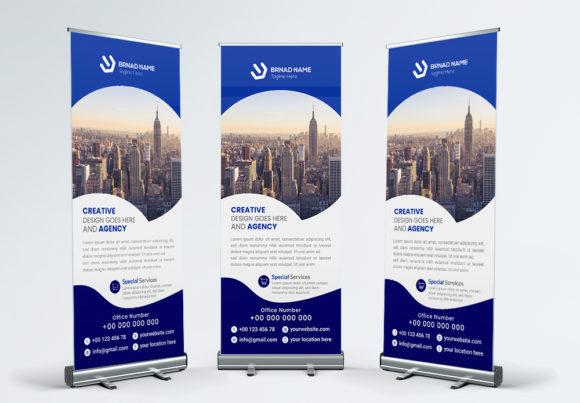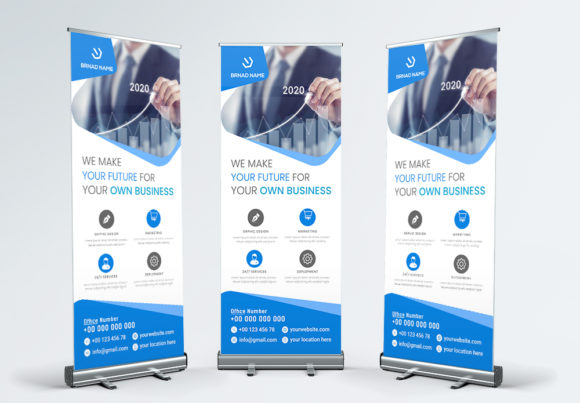
Corporate Business Roll Up Banner: Your Professional Display Solution
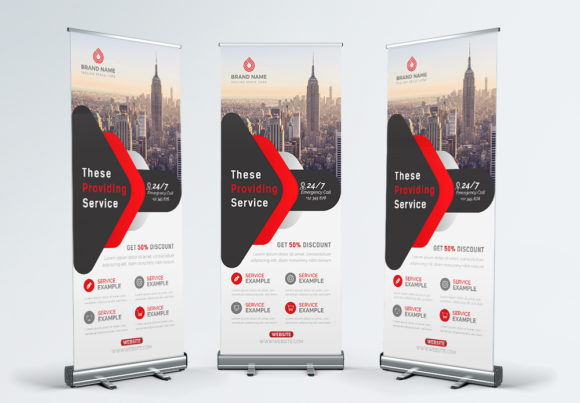
Imagine walking into a crowded trade show, a bustling conference lobby, or a busy retail space. What’s the first thing that captures your attention? Often, it’s a bold, professionally designed roll up banner that communicates a brand’s message instantly. For businesses looking to make that powerful first impression without the hassle of starting from scratch, a well-crafted template like the Corporate Business Roll Up Banner offers a practical and polished solution. This isn't just a piece of printed fabric; it's a strategic marketing asset designed to promote your business with clarity and impact.
At its core, this template is a versatile tool built for entrepreneurs, marketers, and designers who need high-quality visual materials ready for production. Available in a standard 30x70 inch size with a 0.25-inch bleed, it meets professional printing requirements, ensuring your final product looks crisp and clean. The use of CMYK color mode and 300dpi resolution means the colors will reproduce accurately and the graphics will remain sharp, whether viewed from a few feet away or across a room. This attention to technical detail is what separates amateur prints from professional brand presentations.
A Template Built for Real-World Branding Needs
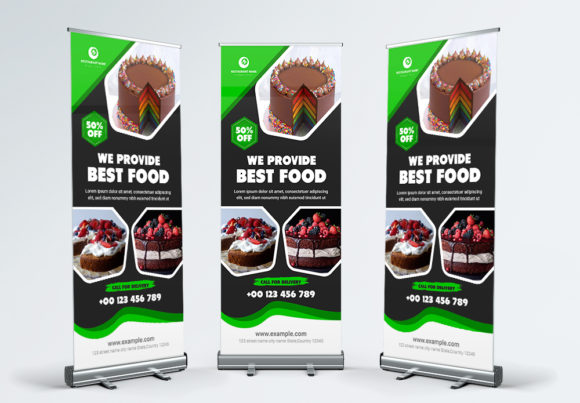
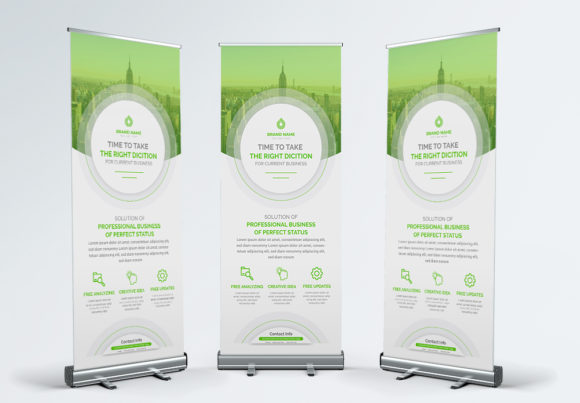
The true value of a template like this lies in its adaptability. It serves as a foundational design asset that can be molded to fit a wide array of business applications. Think beyond the trade show floor. This banner template can be the visual anchor for a product launch event, a backdrop for a corporate photo shoot, or a prominent feature in a retail store to highlight a new service. Its clean, professional aesthetic provides a neutral yet sophisticated canvas that lets your brand’s unique identity shine through without competing with the design itself.
For small business owners and entrepreneurs, time is a precious commodity. The promise of "super simple" editing and customization is not just a marketing line; it’s a practical necessity. By utilizing industry-standard design techniques and being organized in a layered Adobe Illustrator (AI) file format, this template empowers you to take control. You’re not waiting on a designer for every minor text change or color tweak. The process is straightforward: open the file, use the type tool to select and replace text, and adjust elements to match your brand palette. The included help file demystifies this process, making it accessible even if your primary expertise isn’t in graphic design.
Practical Applications Across Your Marketing Ecosystem
While the primary output is a physical roll up banner, the design principles and layout contained within can inspire and inform your broader brand identity. The clean lines and professional structure are excellent for maintaining visual consistency. Consider how the same header styles, color schemes, and spatial relationships can be adapted for other critical touchpoints:
- Event Marketing: The obvious use, but also consider pop-up shops, community fairs, and internal company presentations where a branded display sets a professional tone.
- Point-of-Sale Displays: Use the banner near checkout counters to promote special offers, loyalty programs, or new arrivals, turning passive waiting time into engagement opportunities.
- Studio & Office Branding: In a client-facing office or a creative studio, a branded banner can reinforce your company’s values and services, acting as a permanent piece of wall decor that communicates your mission.
- Content Creation Backdrop: For podcasters, video bloggers, or live streamers, a roll up banner provides an instant, professional branded background, elevating production quality for digital content.
- Photography Prop: Use it as a dynamic element in product photography or team headshots, adding a cohesive brand element to your visual assets.
The ability to easily edit text and objects means you can quickly create multiple versions for different campaigns or seasonal promotions, maximizing the template's return on investment. One design file can yield numerous variations, each tailored to a specific marketing goal, from driving website traffic to announcing a flash sale.
Key Features That Simplify Your Workflow
Several features of this template are specifically designed to streamline the creation process and ensure a high-quality result. Understanding these can help you leverage the asset to its full potential:
- Fully Editable & Layered: This is the cornerstone of easy customization. Every element—text, shapes, backgrounds, and placeholders—exists on its own layer. This means you can isolate and modify a single line of text or a background color without accidentally disrupting other parts of the design.
- Use of Google Fonts: By incorporating free, widely available Google Fonts, the template removes a common barrier. You don’t need to purchase expensive typeface licenses. Simply download the specified fonts, install them, and your edits will render perfectly. This also ensures typographic consistency if you use the same fonts across your website and other digital materials.
- Print-Ready Specifications: The template is pre-configured with the correct bleed, color mode, and resolution for commercial printing. This saves you from the technical headaches of file setup and reduces the risk of receiving a final product with white edges or blurry images. You can send the file directly to a print shop with confidence.
- Organized File Structure: A well-organized file is a time-saving file. When elements are logically grouped and labeled, it becomes intuitive to find what you need to change, making the editing process faster and less frustrating.
Making the Template Your Own: A Strategic Approach
To effectively integrate this template into your branding, start with a clear objective. What is the single most important message you want your banner to communicate? Is it your company name and logo? A specific value proposition? A call to action for an upcoming event? Begin your customization by focusing on that core message.
Next, align the template with your existing brand identity. Replace the placeholder colors with your official brand palette. Swap out the generic imagery with photos of your actual products, team, or services. Ensure the typography reflects your brand’s voice—whether it’s modern and minimalist or classic and authoritative. The template’s clean design should act as a supportive framework, not a dominant personality that overshadows your brand.
Finally, consider the practical context of its use. Where will this banner be physically placed? If it’s in a low-light area, you might opt for higher contrast in your color choices. If it will be viewed primarily from a distance, prioritize bold, large-scale typography over detailed fine print. By thinking through these real-world factors, you transform a generic template into a targeted communication tool that works effectively for your specific business needs. This professional roll up banner template is more than just a design shortcut; it's a launchpad for creating cohesive, impactful visual marketing that helps your business stand out.